The Digital Gujarat Scholarship is a pivotal initiative by the Government of Gujarat, designed to provide financial assistance to students from economically disadvantaged backgrounds, including SC, ST, OBC, SEBC, EWS, NTDNT, and minority communities. This program encompasses a wide array of scholarships catering to students from Class 1 through postgraduate levels, aiming to alleviate the financial burdens associated with education.
For students who have applied for the Digital Gujarat Scholarship, it’s crucial to monitor the status of your application to ensure timely processing and disbursement of funds. This comprehensive guide will walk you through the steps to check your scholarship status, understand the various application stages, and provide insights into what to do if your application faces any issues.
📌 How to Check Your Digital Gujarat Scholarship Status
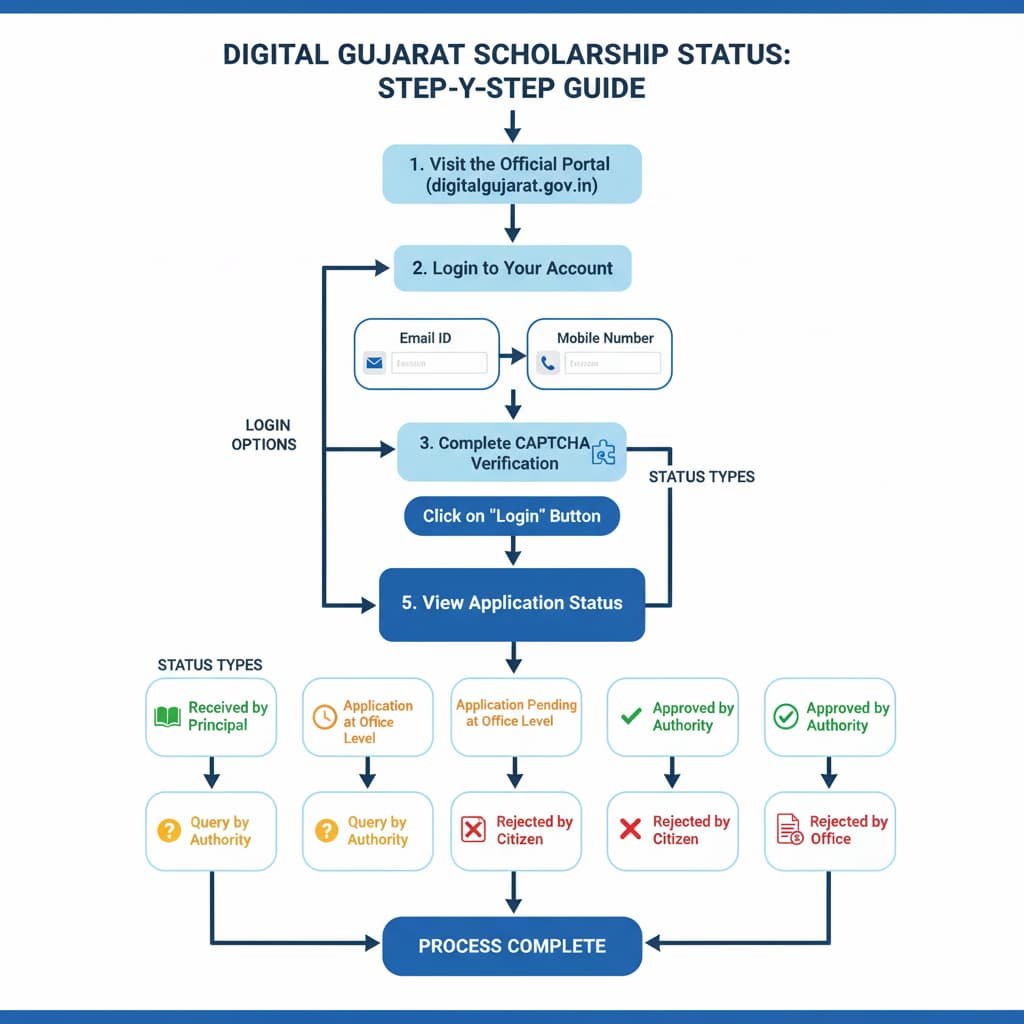
To check the status of your Digital Gujarat Scholarship application, follow these steps:
- Visit the Official Portal: Go to the Digital Gujarat Scholarship Portal.
- Login to Your Account:
- Click on the “Login Using” button.
- Select either “Email ID” or “Mobile No.” based on your registration details.
- Enter your registered email/mobile number and password.
- Complete the CAPTCHA verification.
- Click on the “Login” button to access your dashboard.
- Navigate to Scholarship Services:
- Once logged in, click on the “Services” tab.
- Select “Scholarship Services” from the dropdown menu.
- View Your Application Status:
- In the “Scholarship Services” section, locate and click on “Track Application Status.”
- Here, you’ll find the current status of your application, which could be one of the following:
- Received by Principal: Your application has been received by the institution’s principal.
- Application Pending at Office Level: The application is awaiting processing at the office level.
- Approved by Authority: Your application has been approved by the concerned authority.
- Query by Authority: There is a query regarding your application that needs to be addressed.
- Rejected Application (Closed/Cancelled by Citizen): You have voluntarily closed or canceled your application.
- Rejected Application (Closed/Cancelled by Office): The application has been rejected or canceled by the office.
Regularly checking your application status is essential to stay informed about the progress and to address any issues promptly.
🛠️ What to Do if Your Application Faces Issues
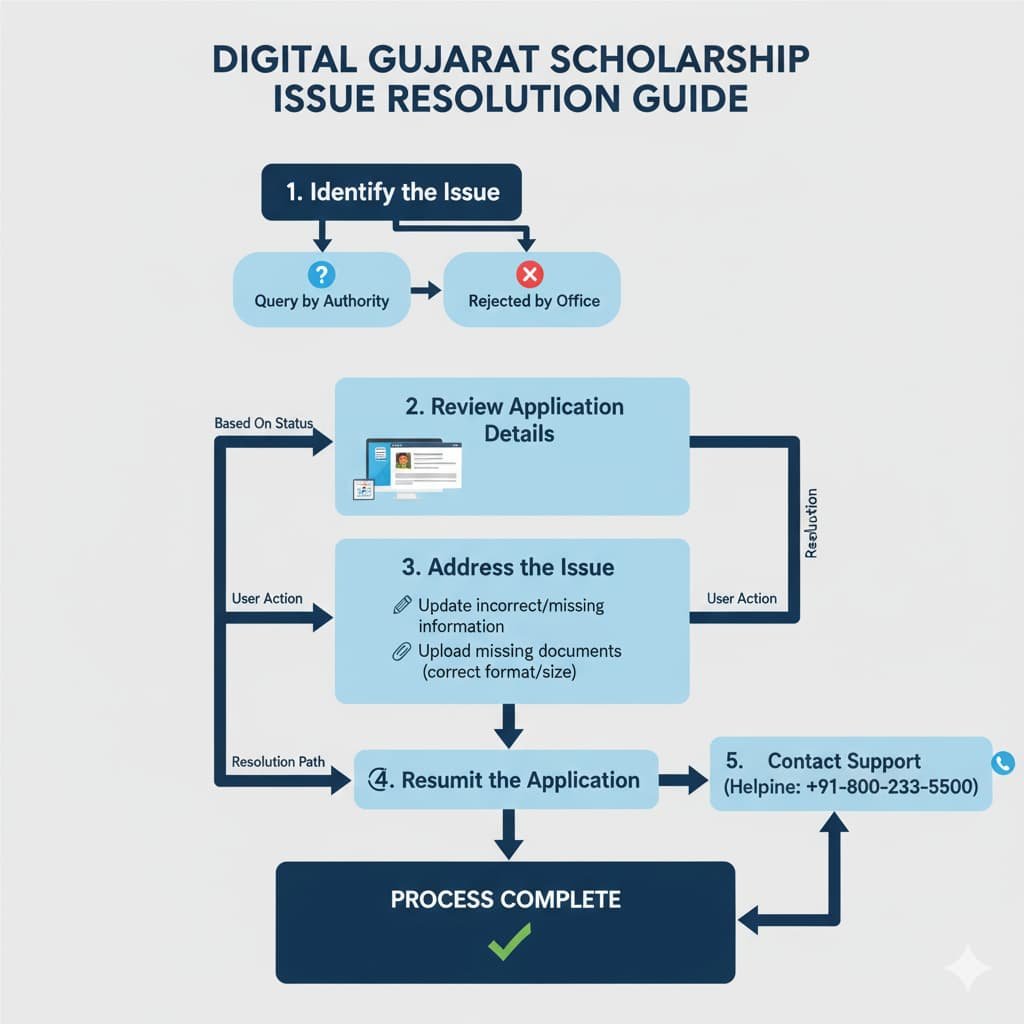
If your application status indicates any of the following:
- Query by Authority: This means there is a discrepancy or missing information in your application.
- Rejected by Office: Your application has been rejected due to non-eligibility or incomplete documentation.
Steps to Resolve:
- Review Application Details:
- Log in to your Digital Gujarat account.
- Navigate to “Scholarship Services” and select “Track Application Status.”
- Click on the “View” button next to your application to see the detailed remarks or reasons for the query or rejection.
- Address the Issue:
- If the issue pertains to missing or incorrect information, update your application accordingly.
- Ensure all required documents are uploaded in the specified formats and sizes.
- Resubmit the Application:
- After making the necessary corrections, resubmit your application for further processing.
- Contact Support if Needed:
- If you encounter difficulties or need clarification, contact the Digital Gujarat helpline at +91-800-233-5500 for assistance.
Promptly addressing any issues will help in the swift processing of your scholarship application.
🧾 Important Information to Remember
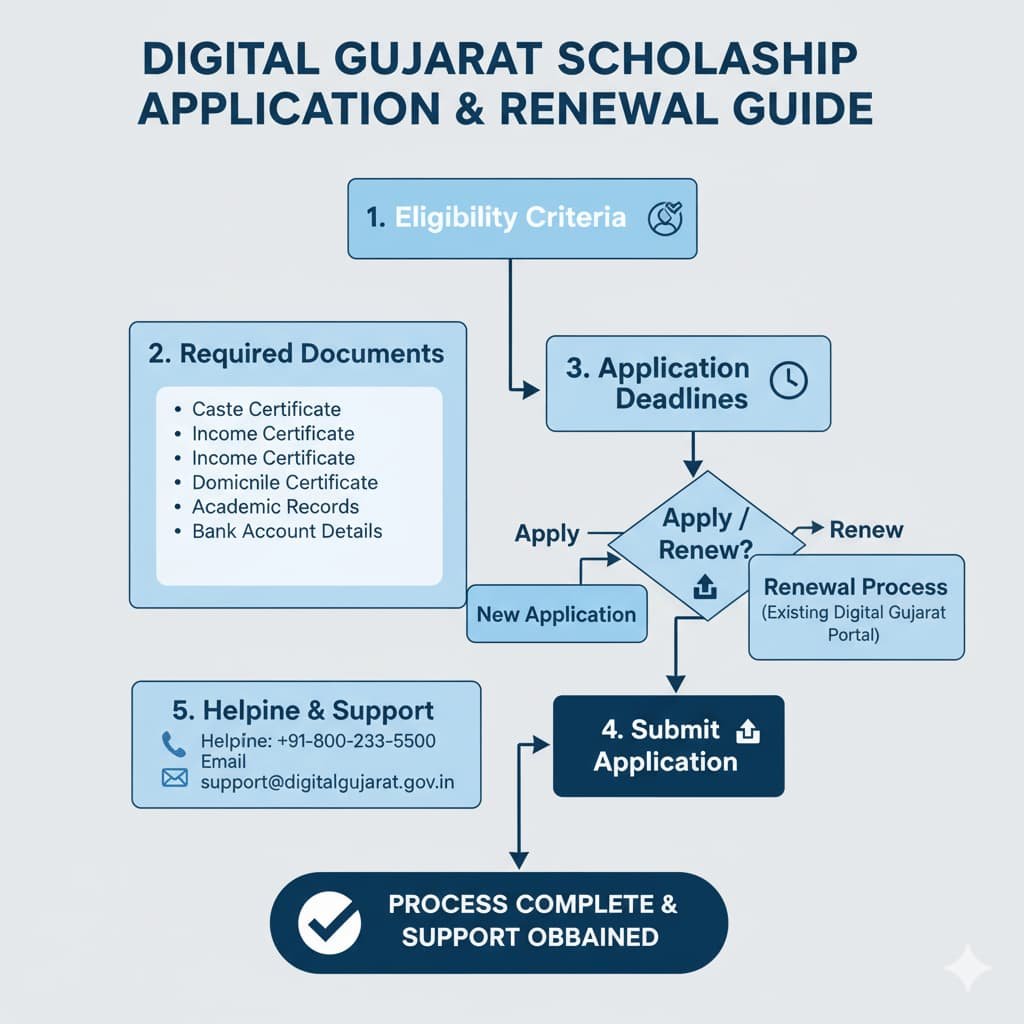
- Eligibility Criteria: Ensure you meet the specific eligibility requirements for the scholarship scheme you have applied for.
- Required Documents: Keep all necessary documents ready, such as caste certificate, income certificate, domicile certificate, academic records, and bank account details.
- Application Deadlines: Be aware of the application deadlines for different scholarship schemes to avoid missing out.
- Renewal Process: If you have previously received a scholarship, remember to renew your application annually through the Digital Gujarat portal.
📞 Helpline and Support
For any assistance or queries regarding the Digital Gujarat Scholarship, you can contact the helpline:
- Helpline Number: +91-800-233-5500
- Email: support@digitalgujarat.gov.in
The support team is available to help you with any issues related to your scholarship application.
📝 Conclusion
Monitoring your Digital Gujarat Scholarship application status is crucial to ensure timely processing and to address any issues that may arise. By following the steps outlined in this guide, you can easily check your application status and take necessary actions if required. Remember to keep your application details and documents updated to facilitate a smooth scholarship process.